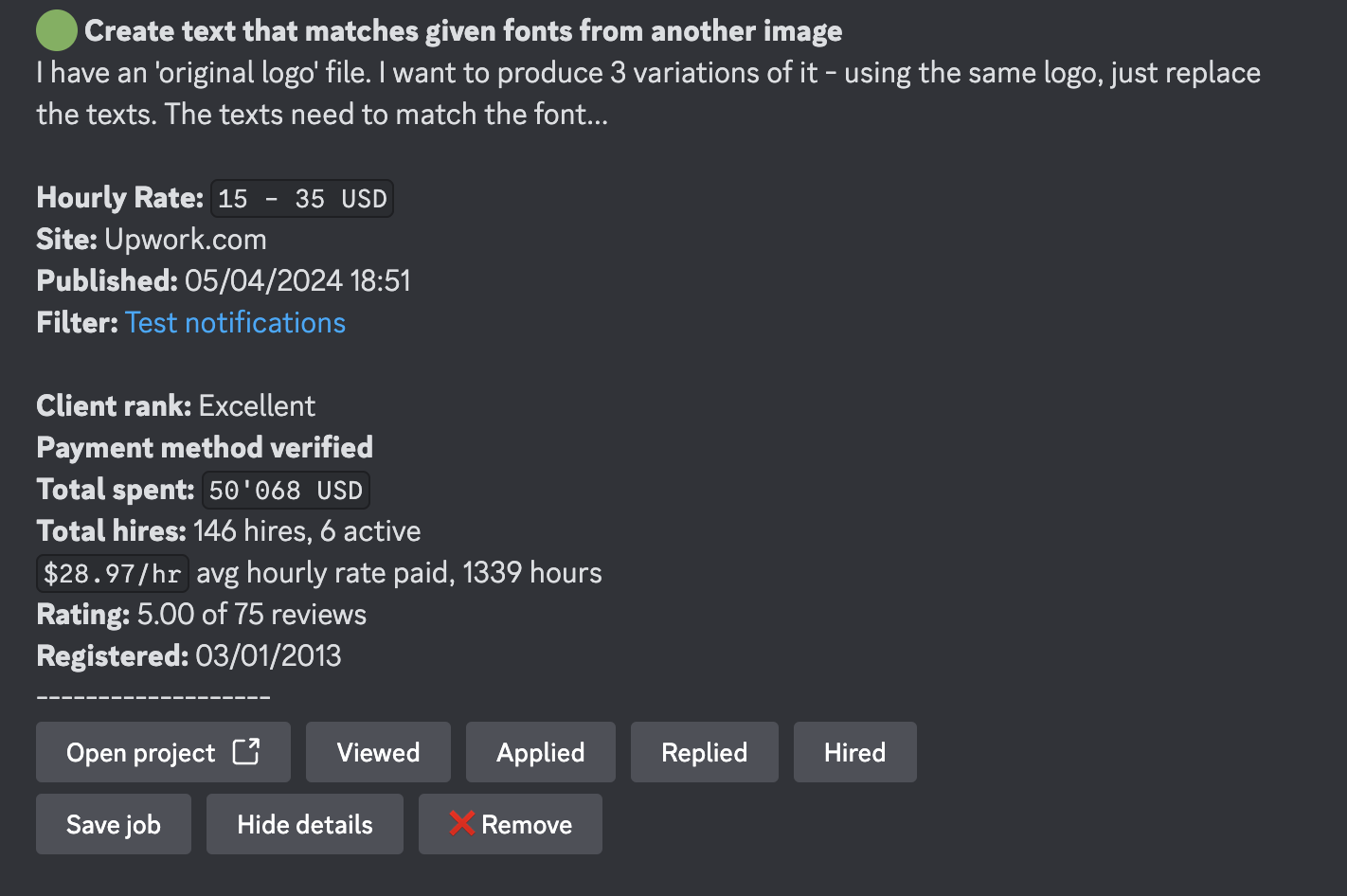
Discord notifications are available during the free trial period and with Agencies & Teams plans.
Step 1: Access Notification Settings
- Go to Dashboard in the main navigation menu > Notifications.
- Locate Discord from the list of available integrations.
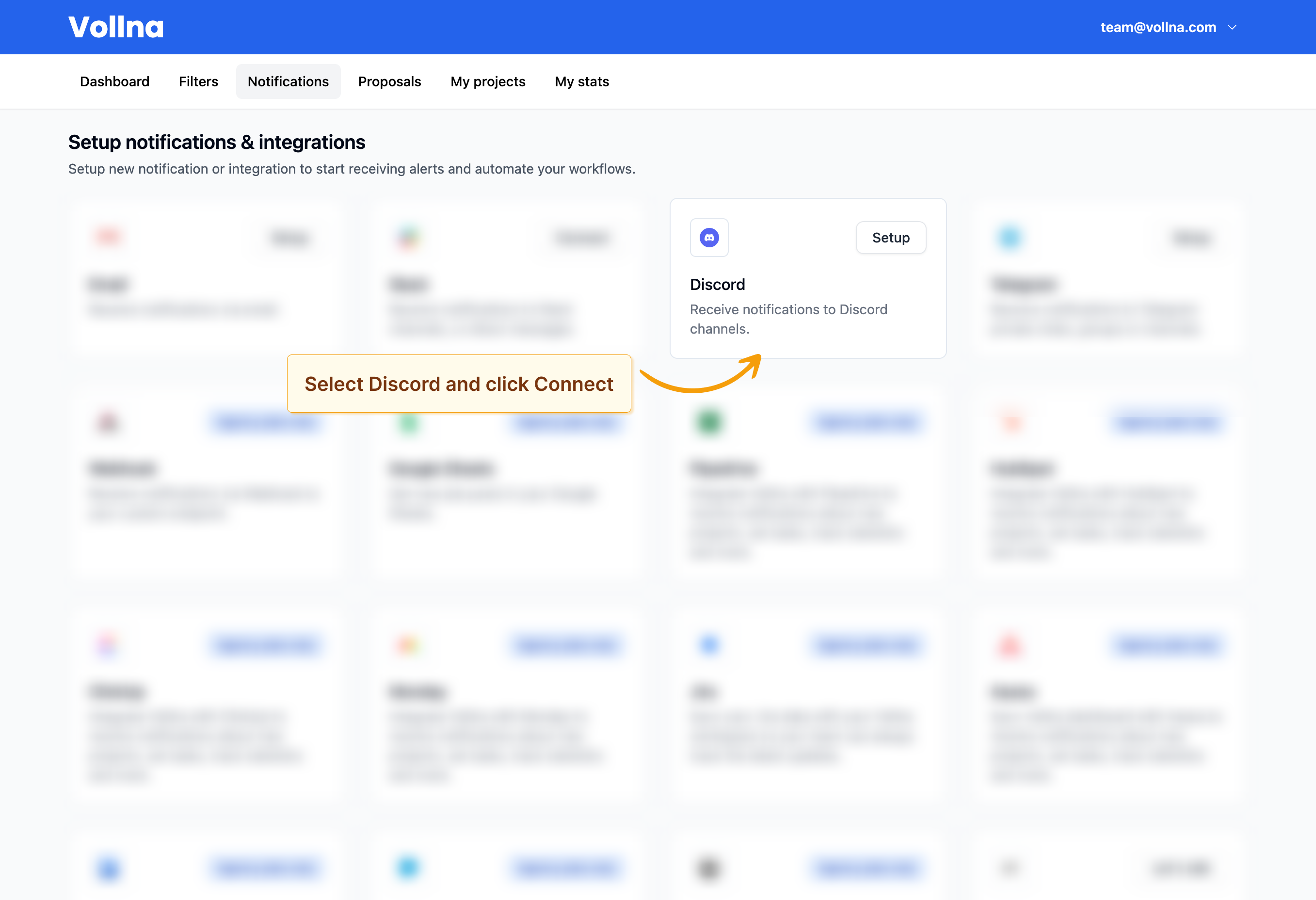
Step 2: Connect Discord
- Click on Connect next to Discord.
- Log in to your Discord account if prompted.
- Authorize the Vollna bot to connect to your Discord server and select the channel you want to receive notifications in.
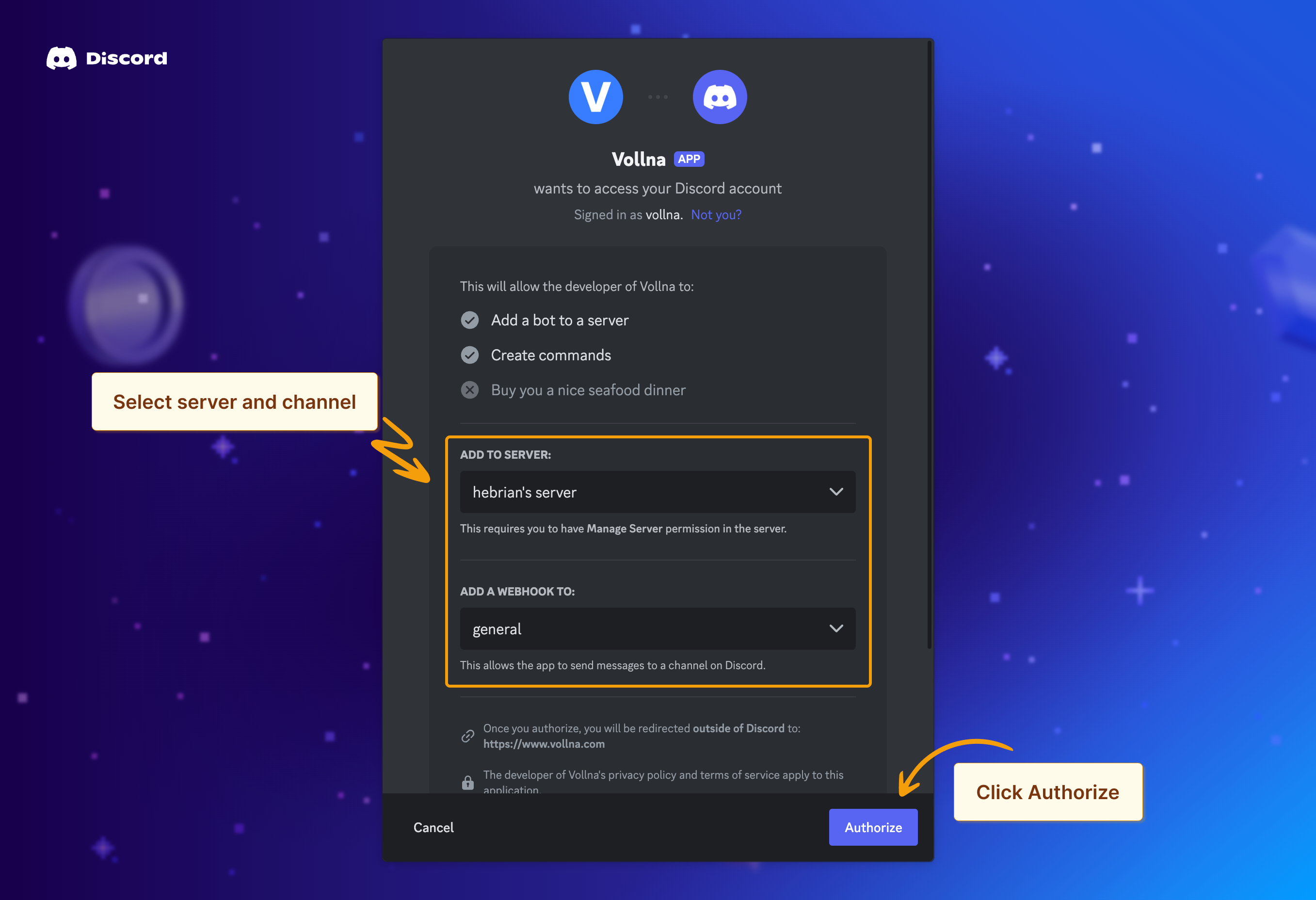
Managing Channels
If you wish to change your server or channel, you’ll need to start over from Step 1 and set up a new Discord notification configuration.Step 3: Assign Filters
After connecting your server, you’ll be redirected to the notifications setup page where you can assign one or multiple filters to your Discord channels. Read more about how to manage filtersNotification Types
You can choose between two types of notifications in Discord:Short Notification
Sends a brief summary of new job postings, including the title, budget, site, and time of publication. This option groups multiple projects in a single notification.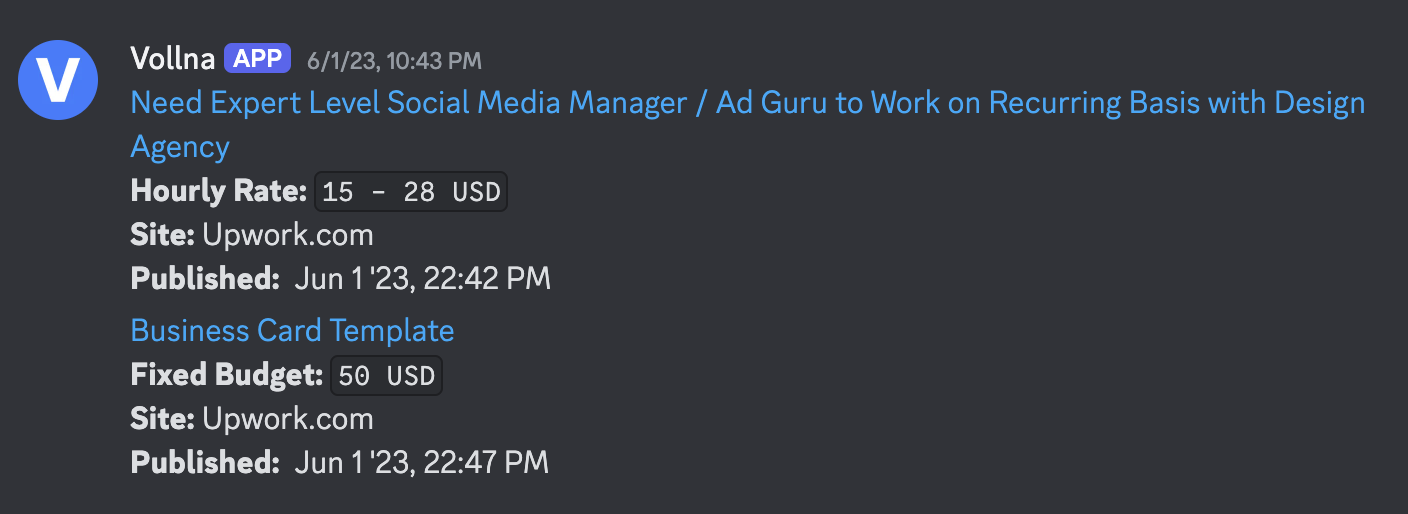
Detailed Notification
Provides a detailed summary of the job posting, including additional information such as short description, client rating, payment method verification and total spent. This option sends a separate notification for each new job posting.