

Webhook notifications are available on higher plans or as a paid add-on.
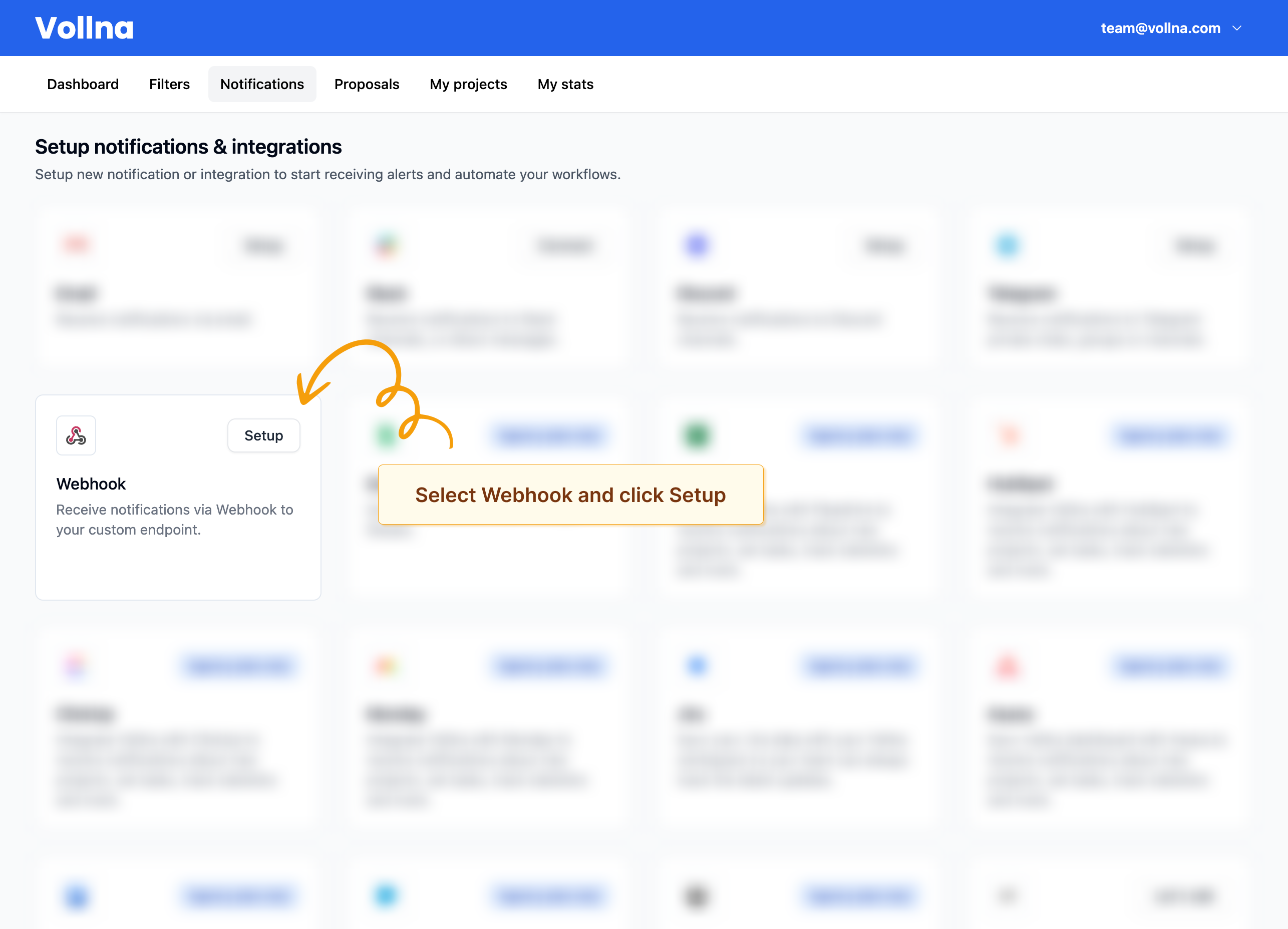
Step 1: Open Notifications setup
- Go to Dashboard → Notifications.
- Locate Webhook in the list of notification providers.
- Click Setup.
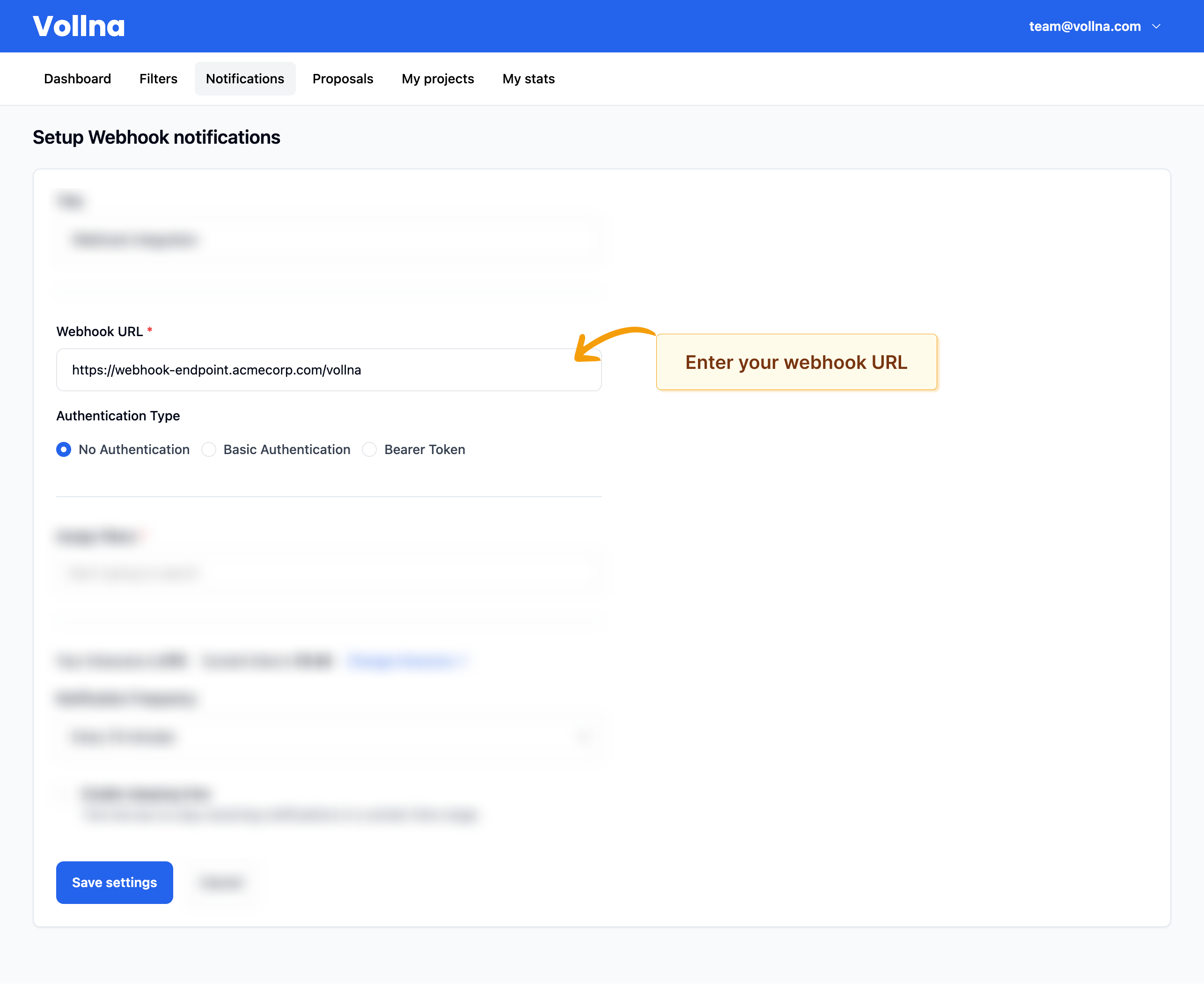
Step 2: Configure your webhook
- Enter your Webhook URL.
- If needed, configure authentication.
- Click Save settings.
Technical Specifications
- HTTP Method: POST
- Content-Type: application/json
- Timeout: 10 seconds
Testing your webhook
Use Send test request in the setup form to send a sample payload and verify your endpoint is reachable.Payload example
After you’ve set up your webhook, you will start receiving notifications when new job opportunities match your selected filters.Field reference
Top-level fields:
Fields of each item in
projects[]:
Fields of
client_details:
Best practices
- Respond quickly (aim < 5 seconds) and do processing asynchronously.
- Return 2xx for successful deliveries.
- Validate fields defensively: projects and client fields may vary by site and job type.
Troubleshooting
Webhook not receiving requests
- Ensure your URL is publicly reachable and responds with HTTP 2xx.
- Verify auth settings (token/credentials).
- Use Send test request to validate connectivity.
- Check server/firewall logs for blocked requests.