A step-by-step guide to setting up and managing job search notifications from Upwork in Telegram.
Job search notifications help you stay informed without constant monitoring, ensuring you don’t miss any opportunities. To set them up in Telegram, follow steps below.
You will be redirected to Telegram to authorize the connection.
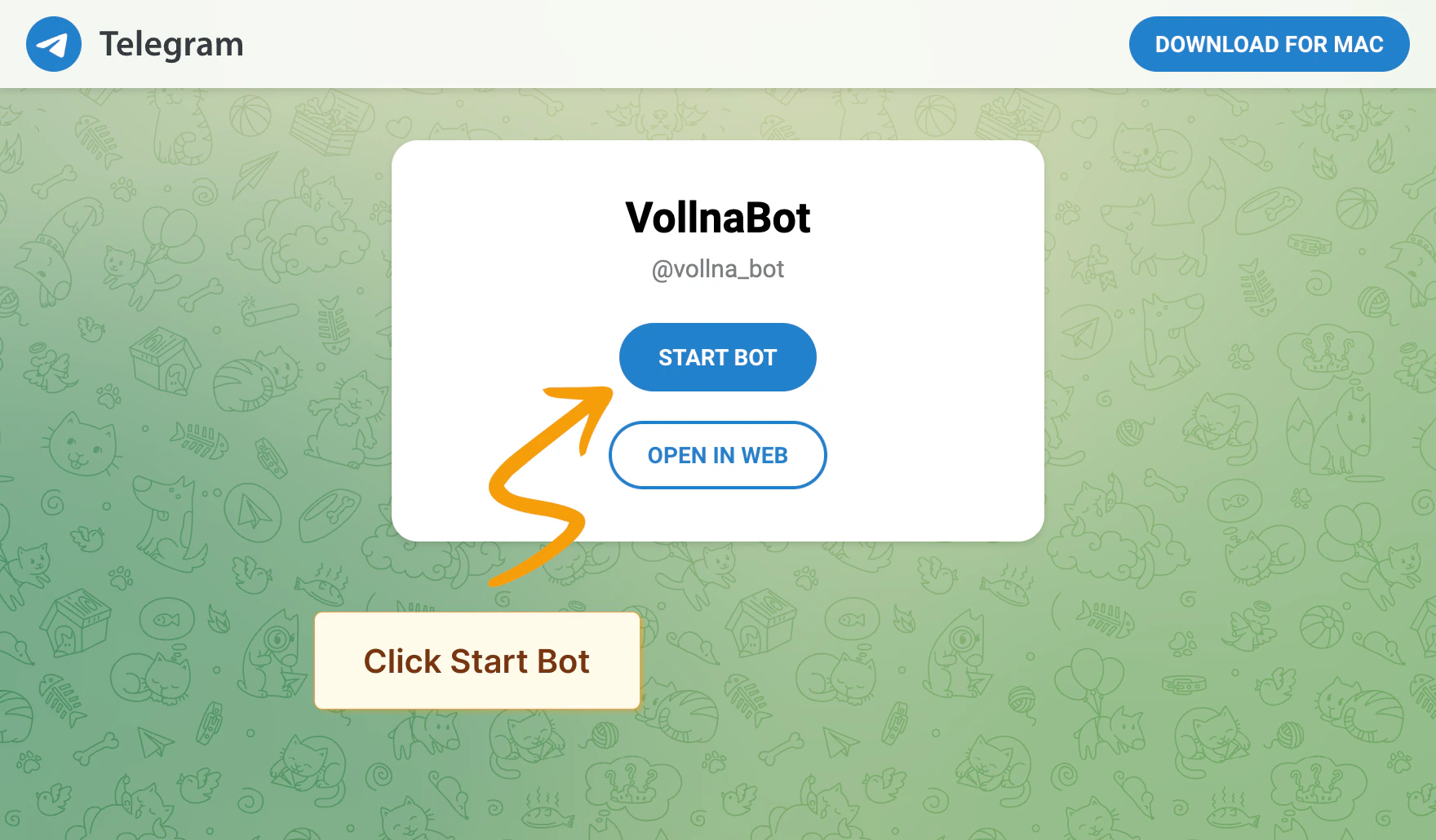
Follow the on-screen instructions to link your Telegram account with Vollna to create a new chat with the bot:
a. Click on Start Bot button.
b. Telegram app will be opened. Click on Start button.
c. Bot will send you verification link. Click on it to verify notification setup.
After Telegram bot is connected, you’ll be redirected to the notifications setup page where you can assign one or multiple filters to your Telegram group or channel.
Read more about how to manage filters
Sends a brief summary of new job postings, including the title, budget, site, and time of publication. This option groups multiple projects in a single notification.
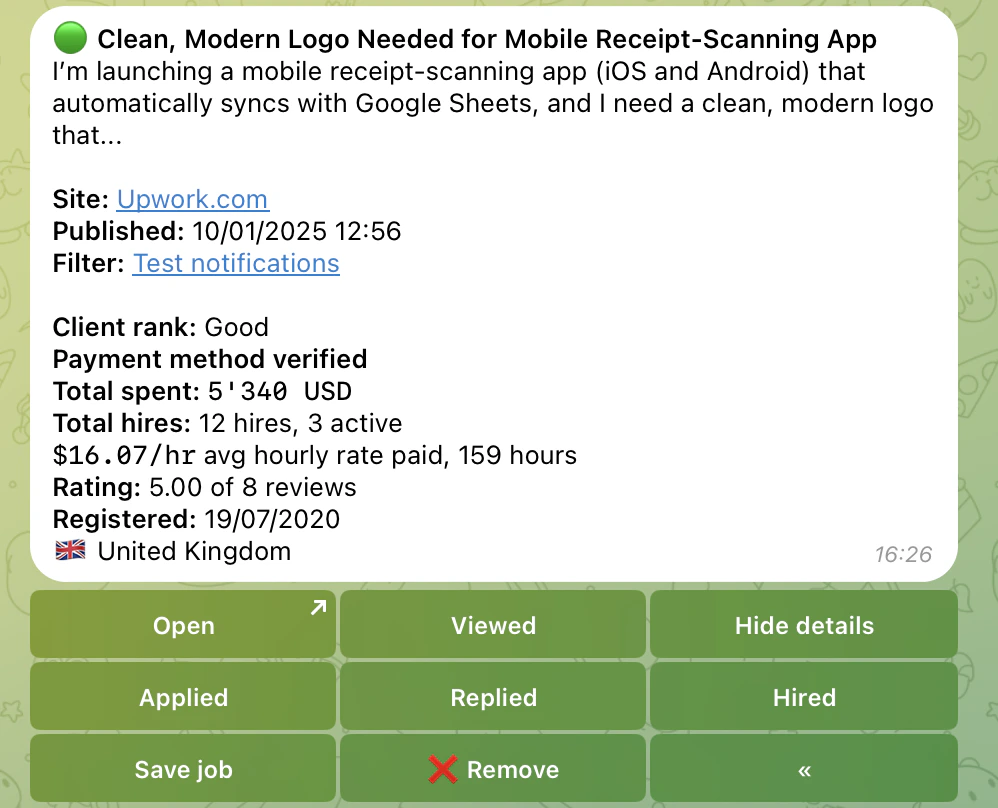
Provides a detailed summary of the job posting, including additional information such as short description, client rating, payment method verification and total spent. This option sends a separate notification for each new job posting.
Following these steps, you can efficiently set up and manage Job Search notifications in Telegram, ensuring you stay updated with the latest opportunities.
For more information, check out our guides on setting up notifications in Discord and Slack.