
4 Online Document Management Tools Perfect for Resource-Strapped Small Businesses
Lost files shouldn’t cost you a workday. Yet a 2023 Adobe Acrobat survey says 48 percent of employees still hunt for documents, while 45 percent of small businesses still rely on paper records, according to Act!. That clutter steals 8.8 hours of productivity every week. We reviewed dozens of options and narrowed them to four budget-friendly document-management tools that file, track, and protect your work—no extra hires needed.
Why 2025 is the tipping point for smarter document management
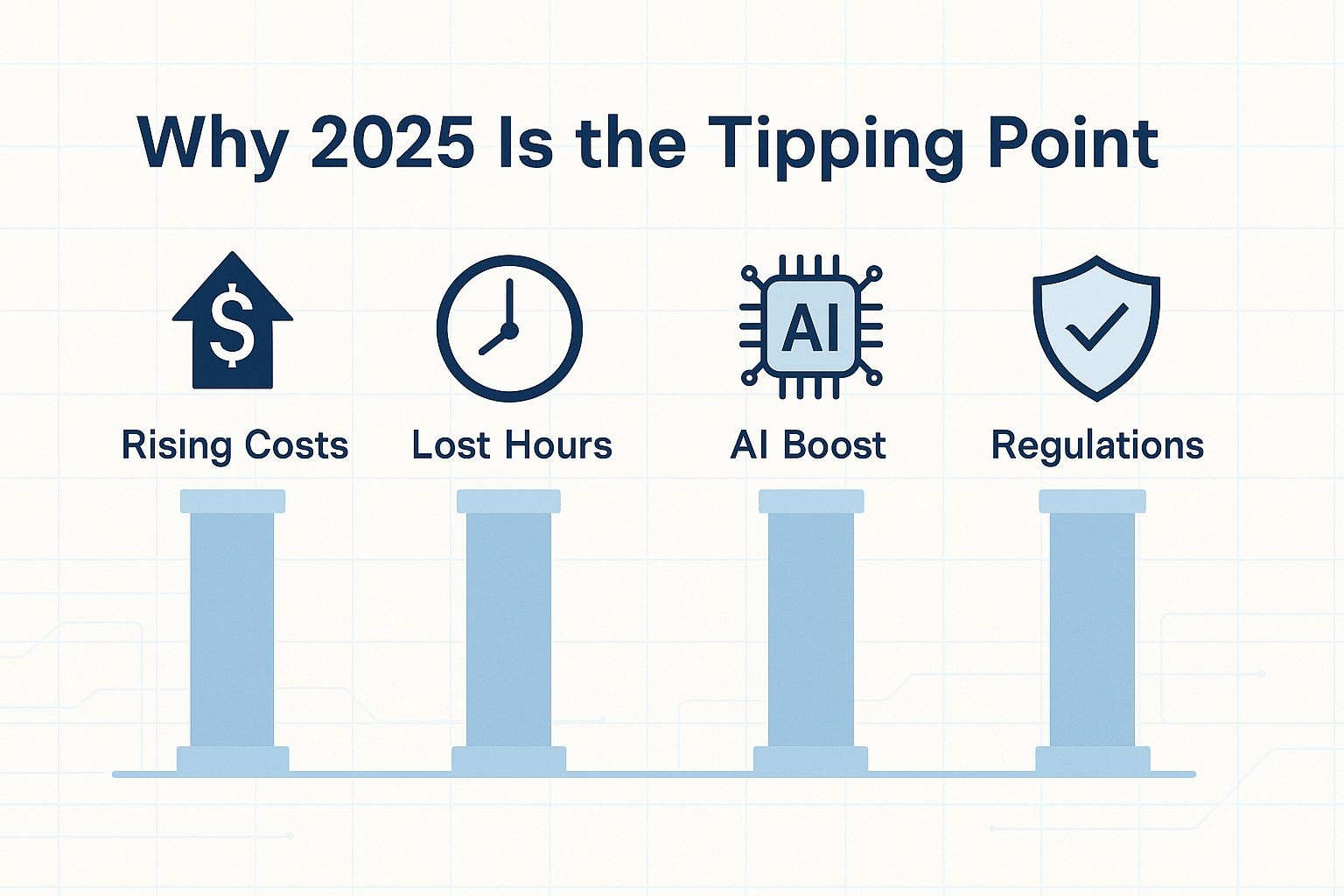
Time is the hidden cost driver. Knowledge workers lose 8.8 hours each week searching for scattered files and apps, the equivalent of one full workday, according to Pymnts.com. If a five-person firm recovers half that time, it gains the output of an extra employee without adding payroll.
Tech momentum removes friction. Dropbox released Dash in June 2023, an AI search bar that reads, tags, and summarizes documents across your cloud stack, according to Pymnts.com. Project-driven document management software like InEight adds value here as well, since its built-in version histories and audit trails become easier to navigate when paired with modern AI-based search. If you’ve been using RSS feeds to catch the latest job postings, it’s time to pivot your job-search strategy with Vollna’s advanced filters. Google Workspace, Microsoft 365, and low-code workflow builders now come with similar AI layers, so migration delivers an immediate productivity lift.
Regulation finishes the push. Europe’s Digital Operational Resilience Act (DORA) took effect on January 17, 2025, requiring even small contractors that serve EU financial clients to encrypt, version, and audit their data, according to the European Insurance and Occupational Pensions Authority. In the United States, the SEC’s 2023 cybersecurity disclosure rule makes public companies detail their document-security processes in annual reports for fiscal years ending after December 15, 2023, per the U.S. Securities and Exchange Commission. A modern DMS captures those records automatically, turning compliance from spreadsheet slog to quick checkbox.
Add up the money, the hours, the tech tailwinds, and the new rules, and 2025 is the year when sticking with shared-drive chaos costs more than adopting a purpose-built platform.
InEight Document: best for project-heavy teams that need airtight control
What sets it apart?
On capital projects, losing a single drawing can add days to the schedule and tens of thousands to the budget. InEight Document treats every file as a controlled asset, complete with version history, role-based permissions, and a time-stamped audit trail, so there is never a “final-final.pdf” mystery.
Security comes first. In July 2025, InEight Document achieved FedRAMP Ready status after passing 325 security controls, according to InEight. The platform also holds ISO 27001 and ISO 27701 certifications for information security and privacy. A five-person contractor bidding on federal or regulated work can prove compliance without extra plug-ins.
How the workflow engine saves time
- Auto-routed approvals. Upload a change order and InEight starts a predefined chain: project manager → client rep → legal, complete with deadline reminders and escalations. Every action is logged, so audits become exports, not scavenger hunts.
- Fear-free versioning. Replacing a file automatically archives the prior revision and updates links across RFIs, transmittals, and dashboards.
- Granular sharing. Give subcontractors view-only access to the Electrical folder, while Finance never sees HR documents. Permissions follow the file and prevent accidental oversharing.
Early results look strong. A case study shows that Saudi-based engineering firm SISCO centralized project documents across four business units in eight weeks, according to InEight, cutting manual searches and duplicate uploads.
Is InEight your fit?
Choose it if:
- Your projects include drawings, RFIs, or specs that need formal approvals and immutable audit trails.
- You bid on public-sector or tightly regulated work where FedRAMP or ISO proof speeds procurement.
Skip it if:
- You manage only a few internal documents and seldom need sign-offs; lighter tools are faster and cheaper.
- Real-time co-editing in Office or Google matters more than strict control; InEight integrates but does not replace native Drive or SharePoint.
Pricing is quote-based and usually falls in the mid-tier SaaS range. Plan your workflows during the demo; that up-front effort pays off when the next audit takes minutes instead of days.
Zoho WorkDrive: best value for lean teams

Why the math favors WorkDrive
For small teams, storage dominates the budget. Zoho’s Starter plan costs $2.50 per user per month and delivers 1 TB of pooled space for up to 10 users. Google Workspace Business Starter, by contrast, charges $7 per user for 30 GB. That is over 30 times more space at roughly one-third the price, a figure your accountant will welcome.
Features that don’t feel “starter”
- Built-in editors and unlimited versions. Every tier includes Zoho Writer, Sheet, and Show, and file versions never expire.
- Advanced search with OCR and object detection. WorkDrive indexes text in scans and can identify objects in images, surfacing receipts, designs, or whiteboard photos in seconds.
- Granular permissions. Subfolder-level sharing and password-protected links keep client files separate from internal work.
- Certifications for common audits. WorkDrive holds SOC 2 Type II and ISO 27001 credentials and supports HIPAA and GDPR needs.
Everyday wins you can clock
- Five-minute onboarding. Drag files into a Team Folder, invite coworkers, and desktops sync automatically, so new hires see order on day one.
- Real-time co-editing. Marketing updates copy in Writer while Sales adjusts pricing in Sheet, without duplicate files or frantic Slack pings.
- Search that repays time. A query like “invoice ACME August” retrieves both the PDF and its source sheet, saving minutes dozens of times a day.
- Mobile momentum. Snap a project sketch from your phone, and the design team finds it in the right folder before you return to your desk.
Fit check
Choose WorkDrive if you need budget-friendly collaboration, Google-style editing, and mid-level compliance (SOC 2, ISO 27001), especially when you already use Zoho CRM or Books.
Skip it if you need FedRAMP, advanced DLP, or heavy VBA macros; OneDrive or Egnyte may suit those cases.
At about $25 a month for a 10-person team, WorkDrive covers most workflows for a fraction of the usual cost. Confirm that its security scope matches your data before you commit.
Egnyte: best pick when security and compliance rule the day
Why auditors trust it
When you save a file to Egnyte, the platform fingerprints the content, encrypts it in transit and at rest, and checks it against your retention and data-classification rules. It flags more than 2,000 known ransomware signatures during upload, according to Egnyte. If a Social Security number appears in a PDF, Egnyte tags it as “PII” and records the event for your HIPAA or SOC 2 report.
Hybrid speed, cloud safety
Need LAN performance for 500-MB Revit models? Deploy Storage Sync on a local NAS; staff work at gigabit speed while the cloud maintains an off-site mirror, according to Egnyte. Remote teammates open the same folder in a browser and co-edit files through Microsoft 365 or Google Docs, with no VPN setup required.
Everyday wins you can measure
- Silent ransomware insurance. Egnyte detects suspicious encryption, revokes access tokens, and can roll files back from hourly snapshots in 15–30 minutes, according to Egnyte.
- One-click compliance reports. Export logs that list every access event, retention rule, and encryption setting in minutes, replacing screenshot drudgery.
- Policy engine on autopilot. Auto-expire public links after seven days or require MFA for anything tagged “confidential,” with policies that apply across web, desktop, and mobile.
What it costs, and why it can pay back fast
The Business plan starts at $22 per user per month, five-user minimum. Enterprise Lite at $38 adds artifact-based ransomware detection, and higher tiers include behavioral analytics and DLP. One avoided breach or failed audit can cover many years of fees, especially when IBM puts the average SMB data-breach cost at $3.04 million.
Pick Egnyte if your contracts mention HIPAA, FINRA, GDPR, or if ransomware headlines keep you up at night.
Pass if your documents are mostly marketing assets and you do not need granular governance; Zoho or Google Drive may meet those needs.
Folderit: best for small teams that crave simplicity without sticker shock
What makes it friction-free?
Open Folderit’s web dashboard and you will find familiar folders and a clear toolbar for upload, share, and tag. It feels like Windows Explorer with built-in audit trails.
Pricing stays flat. The Mini plan is $55 per month for up to five users and 150 GB of storage, according to Folderit. Every tier unlocks the same core tools: unlimited versions, approval workflows, custom metadata, and second-by-second audit logs.
Lightweight structure, real controls
- Custom metadata. Tag files with “Client,” “Invoice #,” or “Expiration Date,” then filter with a click.
- One-click approvals. Launch a serial or parallel workflow from the file; assignees get email prompts and Folderit records every decision.
- Immutable audit trail. Each view, edit, or share receives a time stamp that cannot be altered, useful for ISO or donor reviews.
Folderit runs in any browser and is fully mobile-responsive. There is no native app, but the interface scales well to phones and tablets.
Know the guardrails
Choose Folderit if you want flat pricing, quick setup, and basic governance. Skip it if your work includes large video or CAD files (storage is capped) or if you need real-time co-editing with chat cursors; Zoho or Google will feel smoother.
Ten minutes spent creating metadata templates and approval flows can save hours of future file searches, without hiring an IT admin.
How we picked the lineup
What’s the scorecard behind our shortlist? In August 2025, we evaluated 18 document-management platforms using a five-factor rubric for budget-minded small businesses:
| Criterion | Weight | What earned top marks? |
|---|---|---|
| Price-to-feature value | 30 percent | A free tier or starter plan that provides real workflows, not marketing bait |
| Ease of onboarding | 25 percent | Drag-and-drop import, under one-hour setup, zero required admin training |
| Security & compliance | 20 percent | SOC 2 reports, encryption at rest, FedRAMP or GDPR alignment |
| Integrations & extensibility | 15 percent | Native hooks for Microsoft 365, Google Workspace, Slack, QuickBooks, and open APIs |
| Unique differentiators | 10 percent | AI search, hybrid deployment, industry-specific workflows, or flat-fee pricing |
Only four tools cleared 80 percent or better overall. Each excels in a different scenario, giving you gap fillers instead of a padded list of usual suspects.
Quick-glance comparison
Need a snapshot? Here is how the four picks stack up as of August 2025:
| Tool | Ideal use case | Starter cost | Storage in starter tier | Stand-out strength | Main limitation |
|---|---|---|---|---|---|
| InEight Document | Project-driven work with strict compliance | Quote based (demo first) | Scales per project | FedRAMP-Ready security plus deep approval workflows | Setup complexity and higher price |
| Zoho WorkDrive | Everyday collaboration on a small budget | $3 user/mo (min 3) | 1 TB pooled (≤10 users) | Best cost-per-GB ratio with built-in editors | Search less complete than Google |
| Egnyte | Regulated data, hybrid-cloud workflows | $22 user/mo (5-user min) | 1 TB pooled | Ransomware detection plus DLP | Premium price for very small teams |
| Folderit | Tiny teams that want flat pricing | $55 flat/mo (5 users) | 150 GB | Simple interface with approval flow | No native mobile app, lower caps |
Frequently asked questions
Do we really need a DMS if our team is only five people?
Knowledge workers lose 8.8 hours each week searching for scattered files, according to Pymnts.com. Reclaiming a quarter of that time—about 2 hours per employee—creates the output of a sixth full-time hire over a year. Lightweight tools such as Folderit or Zoho WorkDrive cost roughly the price of a coffee per user each week and build good habits before file chaos grows.
How secure is the cloud, really?
Reputable providers encrypt data in transit with TLS 1.2 or later and at rest with AES-256 by default. Amazon Web Services, for example, applies server-side encryption to every S3 object and DynamoDB table out of the box, according to AWS documentation.
Cloud durability is high. AWS mirrors files across multiple data centers and backs the service with availability service-level agreements that reach 99.999 percent monthly uptime for certain storage tiers.
Cost matters, too. IBM’s 2024 Cost of a Data Breach report found that breaches limited to on-prem servers averaged 4.01 million USD, while multi-cloud breaches exceeded 5 million USD because more data was exposed and recovery took longer. In other words, poor cloud hygiene can be expensive, but a well-configured cloud DMS with multi-factor authentication and granular permissions is often safer, less costly, and more resilient than a single office server that can be stolen, flooded, or misconfigured.
Why pick a DMS over plain Google Drive or Dropbox?
Google Drive and Dropbox excel at quick sharing, but they stop short of full governance. A true document-management system (DMS) adds:
- Version certainty. Every revision is auto-saved and traceable, so you never hunt for contract_v7_final-final.
- Structured workflows. Route a draft for legal, finance, and client sign-off without juggling email threads.
- Metadata and audit trails. Tag files with project codes and capture who viewed or edited them—vital for ISO, HIPAA, or SOC 2 reviews.
IDC estimates that poor version control and approval delays cost companies 19,732 USD per knowledge worker each year through rework and search time. A DMS closes that gap by turning messy file sharing into a controlled, reportable process.
What’s the first step toward adoption?
Run a 14-day pilot. Choose one department, migrate the past week’s active documents, and digitize a single approval workflow (for example, an invoice sign-off). Track three metrics before and after:
- Time to find a file (target: under 30 seconds)
- Approval cycle length (target: 40 percent faster)
- User-reported frustration on a five-point scale
If the pilot meets or beats two of the three targets, roll the DMS to the rest of the company. Numbers convince the skeptics.
Conclusion
Numbers convince the skeptics: adopting a document-management system (DMS) is no longer optional—it’s the fastest route to reclaim lost hours, stay compliant, and avoid costly security breaches. Whether your team needs advanced audit trails (InEight), unbeatable cost efficiency (Zoho WorkDrive), airtight compliance (Egnyte), or simple affordability (Folderit), 2025 offers a tool for every scale and budget. The common outcome? Organized workflows, measurable time savings, and a safer, more transparent digital workspace.
Frequently Asked Questions
Do we really need a DMS if our team is only five people?
Yes. Knowledge workers lose about 8.8 hours per week searching for files (Pymnts.com). Even reclaiming a fraction of that time equates to an extra full-time employee’s worth of productivity each year. Affordable options like Folderit or Zoho WorkDrive cost less than a weekly coffee per user, helping small teams build structured habits before disorganization scales.
How secure is the cloud, really?
Reputable providers encrypt data in transit (TLS 1.2+) and at rest (AES-256). Services like AWS mirror files across multiple data centers, achieving 99.999% uptime on select tiers. IBM’s 2024 breach report found on-premise incidents cost $4.01M, versus over $5M for poorly configured multi-cloud setups—proof that a well-secured cloud DMS with MFA and granular permissions is safer and cheaper than a vulnerable office server.
Why pick a DMS over plain Google Drive or Dropbox?
While Drive and Dropbox handle sharing, a full DMS adds:
Version control – every revision traceable, no more “final-final” files.
Approval workflows – route documents automatically for sign-off.
Metadata & audit trails – essential for ISO, HIPAA, or SOC 2 audits.
IDC estimates poor versioning and workflow delays cost companies $19,732 per knowledge worker annually—a gap a proper DMS closes efficiently.
What’s the first step toward adoption?
Run a 14-day pilot with one department. Move active documents and automate a single approval (e.g., invoices). Measure:
Time to find a file (target: \<30 seconds)
Approval cycle time (target: 40% faster)
User satisfaction (target: + improvement)
If you hit two of three goals, roll out company-wide. Data-driven wins turn skeptics into champions.