> ## Documentation Index
> Fetch the complete documentation index at: https://www.vollna.com/docs/llms.txt
> Use this file to discover all available pages before exploring further.
# Setting Up Email Notifications
> A step-by-step guide to setting up and managing job search notifications from Upwork in Email.
Job search notifications help you stay informed without constant monitoring, ensuring you don't miss any opportunities. To set them up in Email, follow steps below.
## Step 1: Access Notification Settings
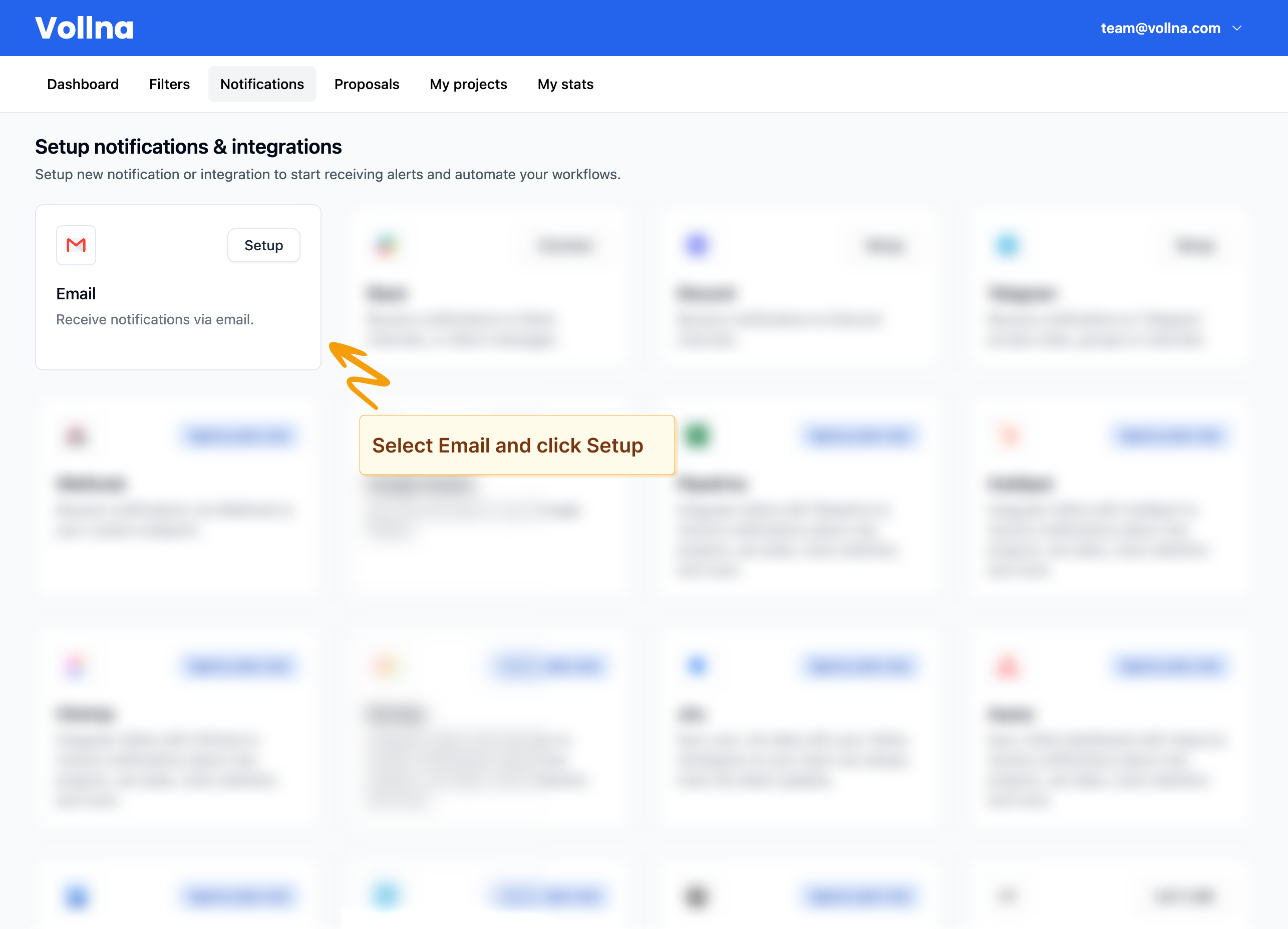
1. Go to **Dashboard** in the main navigation menu > **Notifications**.
2. Locate Email from the list of available integrations.
 ## Step 2: Configure Email Notifications
1. Click on **Setup** next to Email.
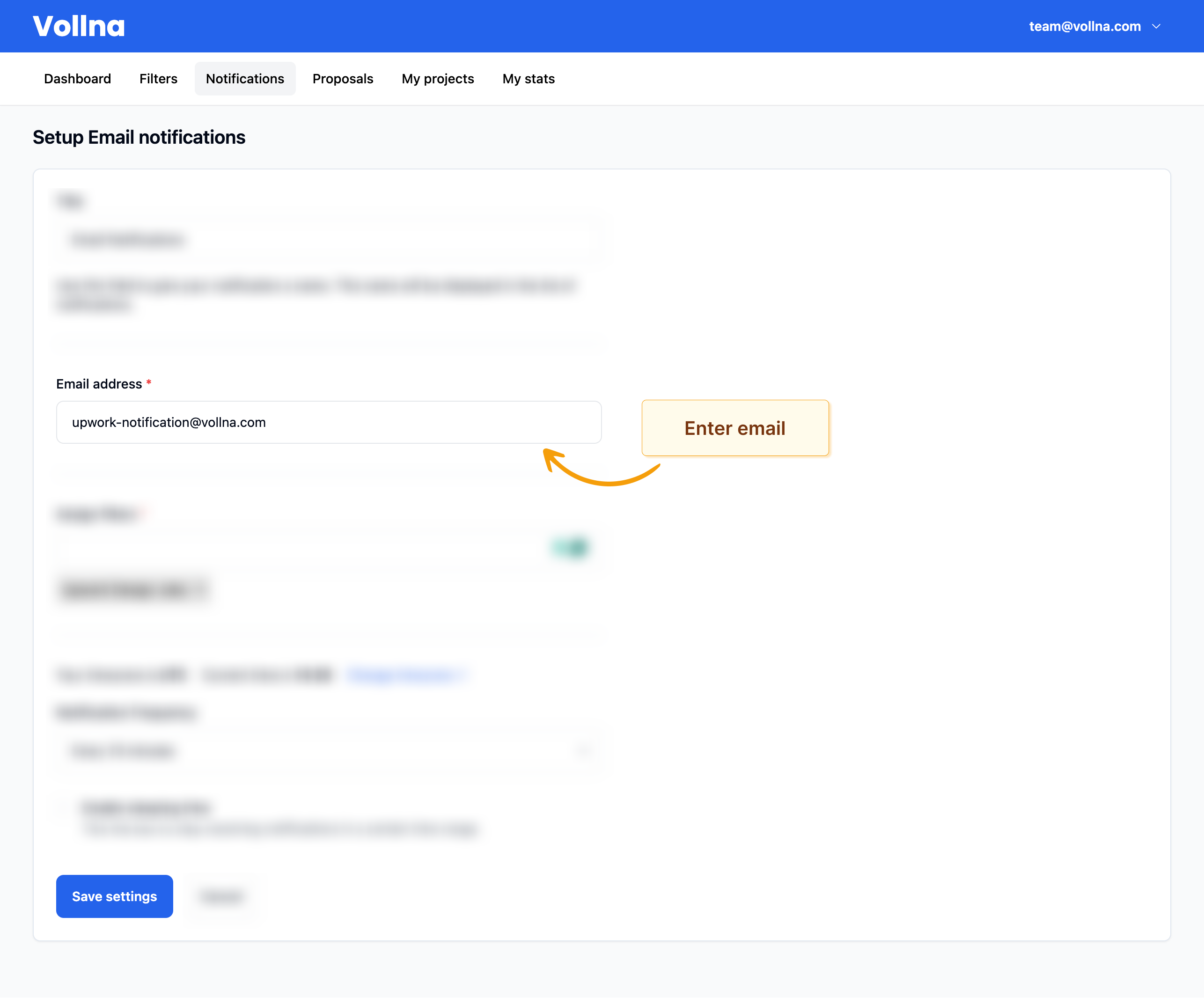
2. Enter your email in the form.
3. Review other settings and click on **Save settings** button.
If your email is not verified, you will be asked to verify it to start receiving notifications.
## Step 2: Configure Email Notifications
1. Click on **Setup** next to Email.
2. Enter your email in the form.
3. Review other settings and click on **Save settings** button.
If your email is not verified, you will be asked to verify it to start receiving notifications.
 #### Using multiple emails
If you'd like to use multiple emails, you will need to create new notifications for each email.
## Step 3: Assign Filters
On same page, you will be able to assign one or multiple filters to your email notifications.
Read more about how to [manage filters](/docs/filters/overview)
## Receive Notifications
After you've set up your email notifications and assigned filters, you will start receiving notifications.
#### Using multiple emails
If you'd like to use multiple emails, you will need to create new notifications for each email.
## Step 3: Assign Filters
On same page, you will be able to assign one or multiple filters to your email notifications.
Read more about how to [manage filters](/docs/filters/overview)
## Receive Notifications
After you've set up your email notifications and assigned filters, you will start receiving notifications.
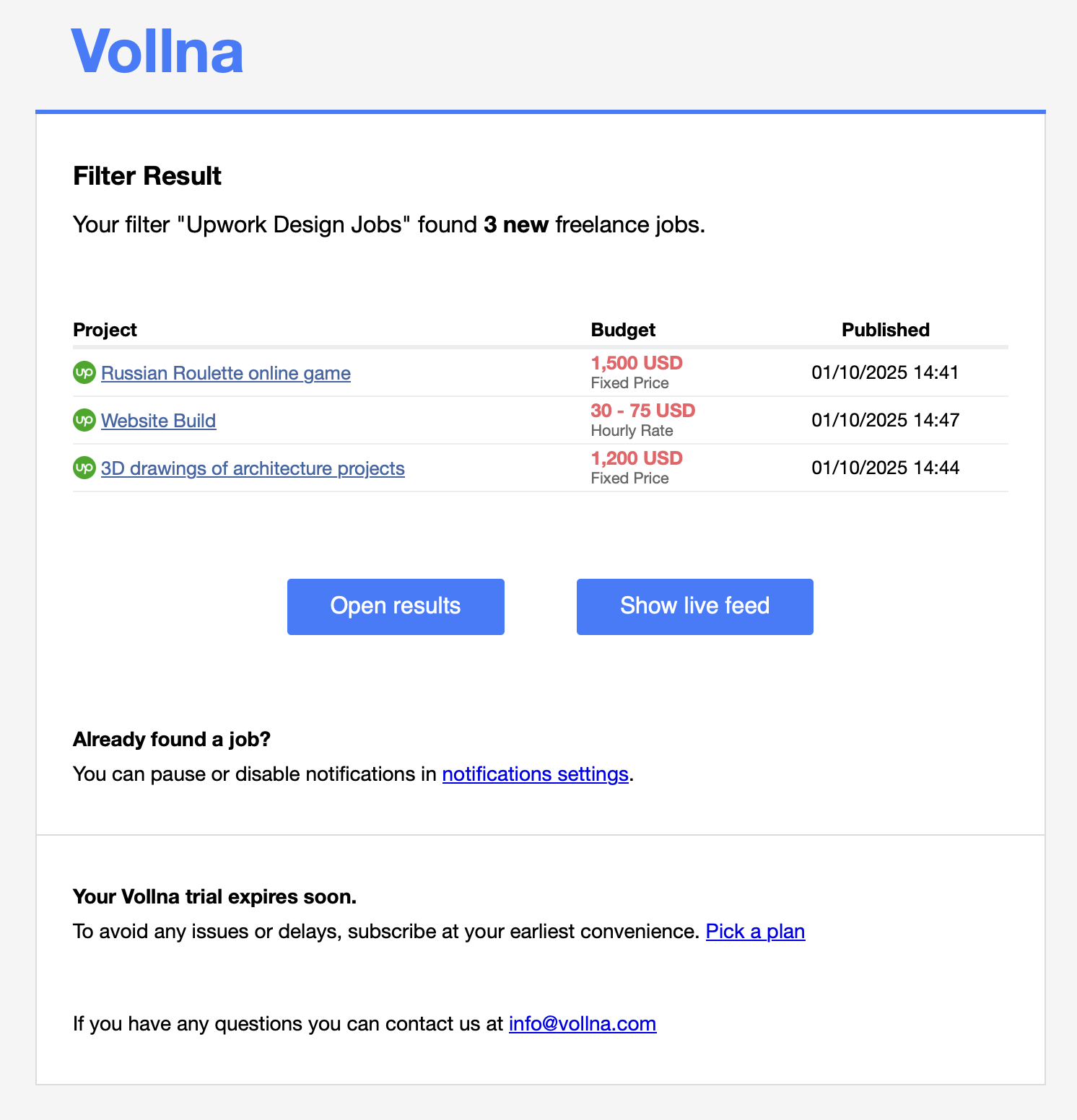 If there are more than 30 new jobs, you will receive only first 30 jobs and link to the full list of jobs.
Following these steps, you can efficiently set up and manage Job Search notifications in Email, ensuring you stay updated with the latest opportunities.
For more information, check out our guides on setting up notifications in [Discord](/docs/notifications/discord) and [Slack](/docs/notifications/slack).
If there are more than 30 new jobs, you will receive only first 30 jobs and link to the full list of jobs.
Following these steps, you can efficiently set up and manage Job Search notifications in Email, ensuring you stay updated with the latest opportunities.
For more information, check out our guides on setting up notifications in [Discord](/docs/notifications/discord) and [Slack](/docs/notifications/slack).