> ## Documentation Index
> Fetch the complete documentation index at: https://www.vollna.com/docs/llms.txt
> Use this file to discover all available pages before exploring further.
# Jobs
> Follow every job auto-bidding picked up, from the filter match to the submitted proposal.
Open a setup to see its own jobs, or click **All jobs** in the dashboard header to see every setup at once.
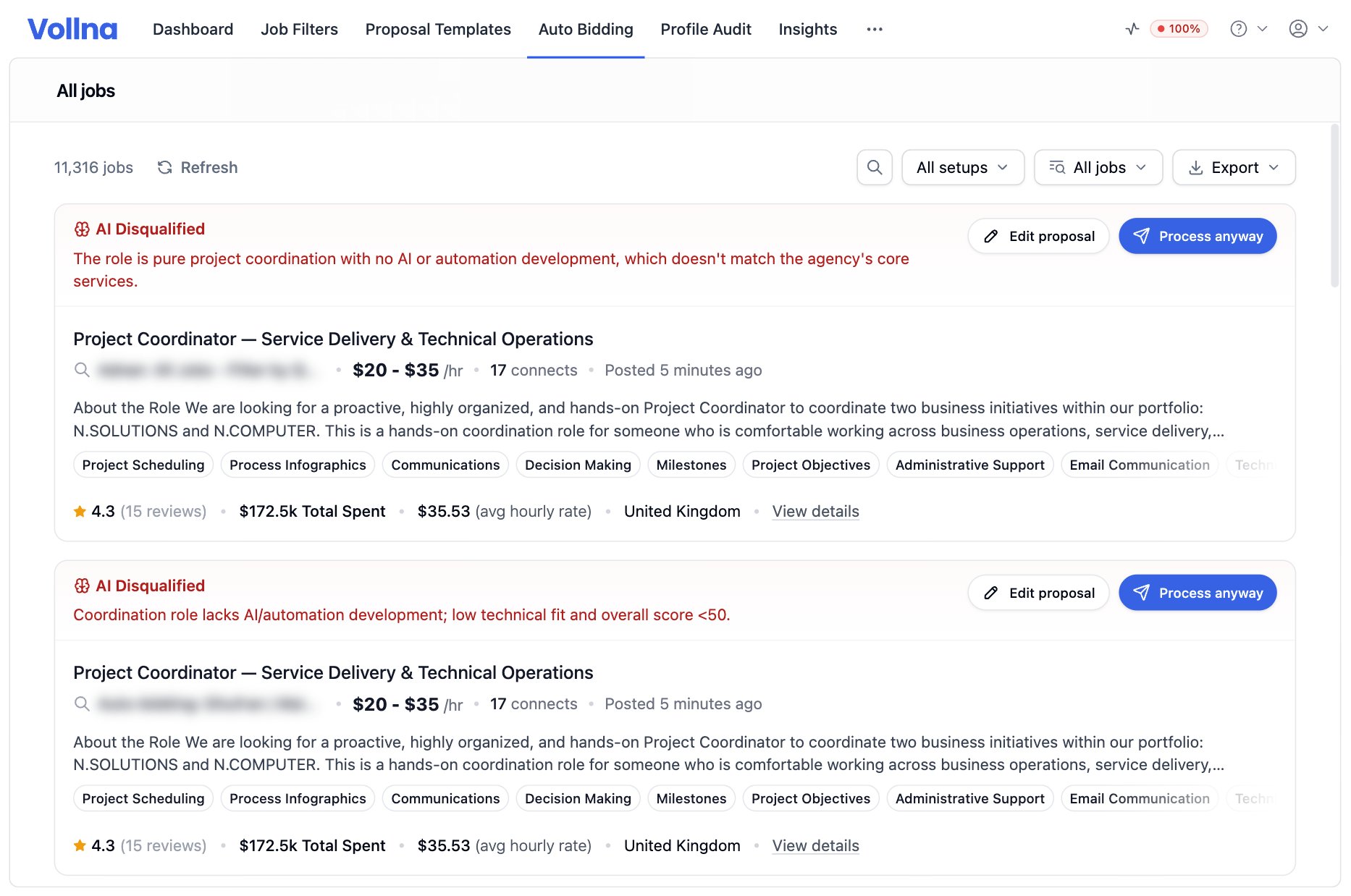 Inside a setup, the **All jobs** list shows what the filter matches, whether or not auto-bidding acted on it yet. **Scheduled**, **Applied** and **Skipped** show what auto-bidding did.
## Statuses on a card
| Status | Meaning |
| ----------------------------------------- | -------------------------------------------------------------------------------------------- |
| **Scheduled** | Queued for submission. The label counts down to the submit time |
| **Pending Qualification**, **Qualifying** | Waiting for the AI job qualifier |
| **Awaiting Review** | Waiting for you. The label counts down to the auto-approve or auto-skip |
| **Processing** | The Business Manager is submitting the proposal |
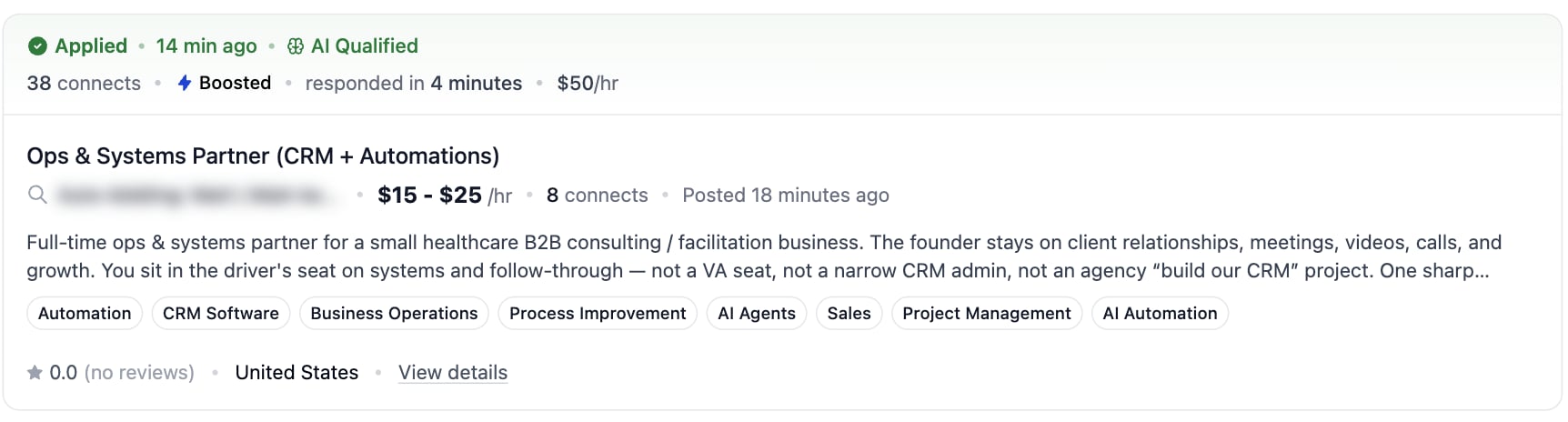
| **Applied** | Submitted. The line under it reads the connects spent, the boost, and how fast you responded |
| **Skipped** | Passed over. The label names who skipped it and why |
| **AI Disqualified** | The AI job qualifier rejected the job. Its reason follows |
| **Applied by another bidder** | A different setup in your account already applied |
Inside a setup, the **All jobs** list shows what the filter matches, whether or not auto-bidding acted on it yet. **Scheduled**, **Applied** and **Skipped** show what auto-bidding did.
## Statuses on a card
| Status | Meaning |
| ----------------------------------------- | -------------------------------------------------------------------------------------------- |
| **Scheduled** | Queued for submission. The label counts down to the submit time |
| **Pending Qualification**, **Qualifying** | Waiting for the AI job qualifier |
| **Awaiting Review** | Waiting for you. The label counts down to the auto-approve or auto-skip |
| **Processing** | The Business Manager is submitting the proposal |
| **Applied** | Submitted. The line under it reads the connects spent, the boost, and how fast you responded |
| **Skipped** | Passed over. The label names who skipped it and why |
| **AI Disqualified** | The AI job qualifier rejected the job. Its reason follows |
| **Applied by another bidder** | A different setup in your account already applied |
 ## Actions
| Status | Buttons |
| ---------------------------------------- | -------------------------------------------- |
| **Scheduled** | **Edit proposal**, **Skip job** |
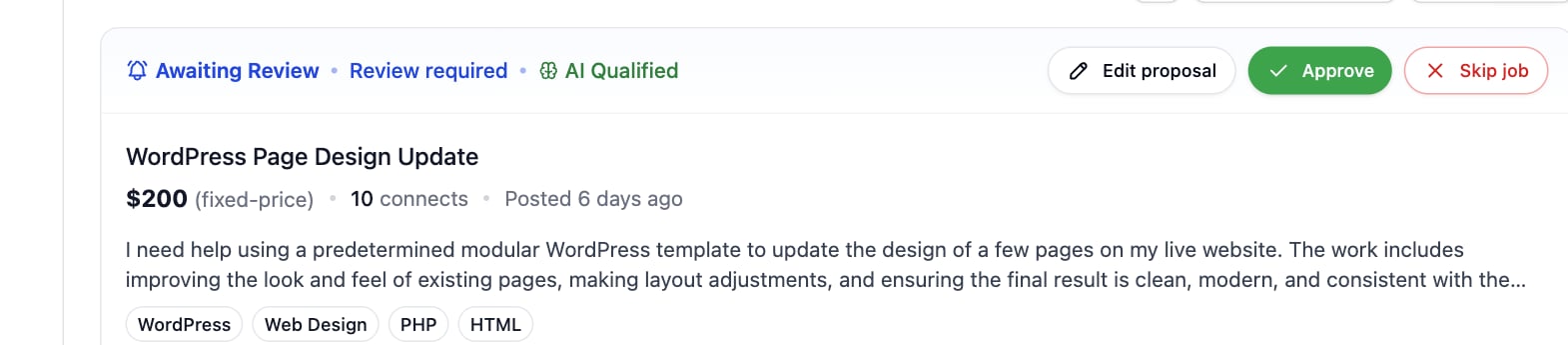
| **Awaiting Review** | **Edit proposal**, **Approve**, **Skip job** |
| **Applied** | **View proposal** |
| **Skipped** after an AI disqualification | **Edit proposal**, **Process anyway** |
| **Skipped** for any other reason | **Edit proposal**, **Apply Now** |
| A filter match with no job yet | **Generate Proposal**, **Apply Now** |
**Edit proposal** opens the letter, the screening answers and the bid. **Save & Apply** stores them and queues the job.
Skip works only while a job is still waiting. Once it is submitted, withdraw the proposal on Upwork.
## Why a job was skipped
## Actions
| Status | Buttons |
| ---------------------------------------- | -------------------------------------------- |
| **Scheduled** | **Edit proposal**, **Skip job** |
| **Awaiting Review** | **Edit proposal**, **Approve**, **Skip job** |
| **Applied** | **View proposal** |
| **Skipped** after an AI disqualification | **Edit proposal**, **Process anyway** |
| **Skipped** for any other reason | **Edit proposal**, **Apply Now** |
| A filter match with no job yet | **Generate Proposal**, **Apply Now** |
**Edit proposal** opens the letter, the screening answers and the bid. **Save & Apply** stores them and queues the job.
Skip works only while a job is still waiting. Once it is submitted, withdraw the proposal on Upwork.
## Why a job was skipped
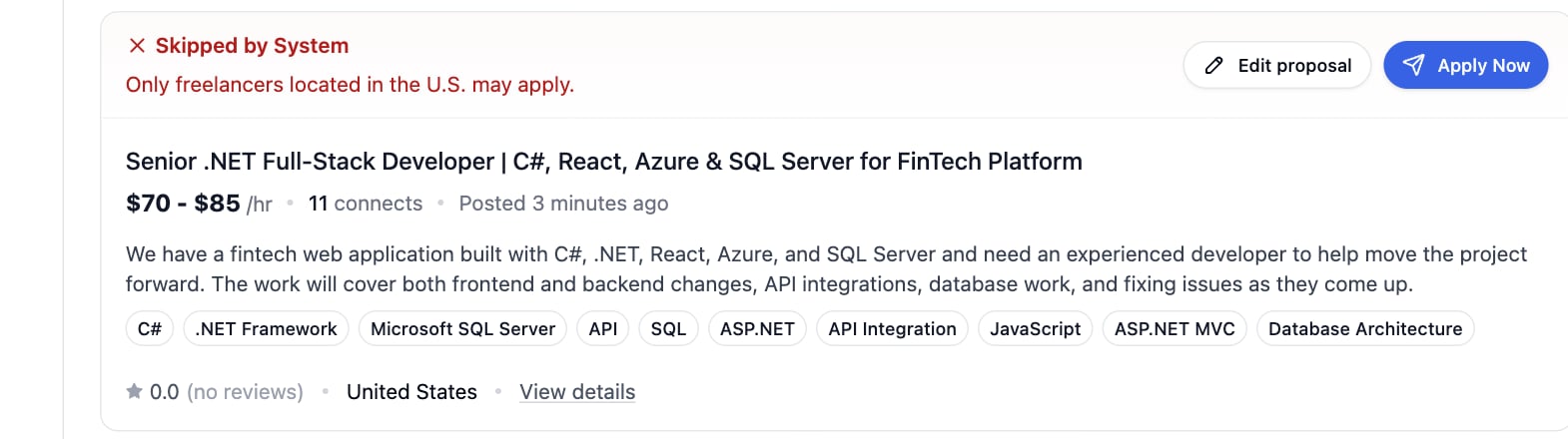 | Reason | Meaning |
| ---------------------------------------------------------- | ------------------------------------------------------------------------------------------------------------ |
| Auto-bidding setup was paused | You paused the setup while this job was queued. Queue it again with **Apply Now** |
| An equal or higher-priority bidder already queued this job | Another setup of yours reached the job first |
| Superseded by a higher-priority bidder | A setup above this one in the priority order claimed the job |
| Already applied by another bidder | One of your setups already submitted a proposal for this job |
| Job older than the freshness window | The job waited past the setup's age limit while the schedule was off |
| Daily proposal limit reached | The setup hit its own daily limit. It resumes at midnight in the setup's timezone |
| Monthly proposal limit reached | The account allowance is spent. See [Dashboard](/docs/auto-bidding/dashboard) |
| Insufficient Connects to submit proposal | Buy Connects for the agency on Upwork, or turn on [Auto Top-Up Connects](/docs/auto-bidding/auto-top-up-connects) |
| Agency Plus membership is required | Upgrade the agency to Agency Plus on Upwork |
## Job details
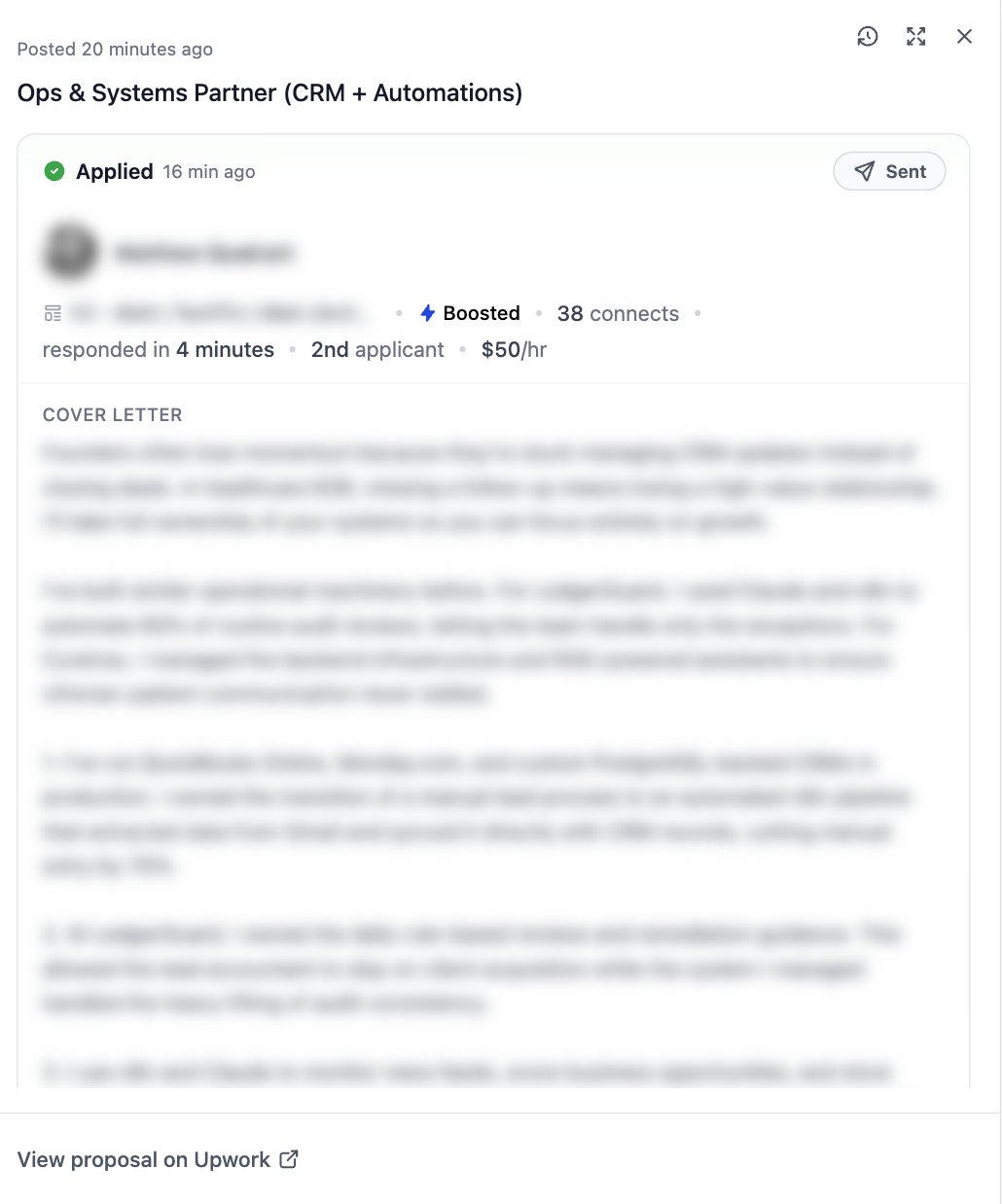
Click a job title to open the details drawer with the cover letter, the screening answers, the attachments and the client information. A submitted proposal also shows how far it got: **Sent**, **Viewed**, **Replied** or **Hired**.
| Reason | Meaning |
| ---------------------------------------------------------- | ------------------------------------------------------------------------------------------------------------ |
| Auto-bidding setup was paused | You paused the setup while this job was queued. Queue it again with **Apply Now** |
| An equal or higher-priority bidder already queued this job | Another setup of yours reached the job first |
| Superseded by a higher-priority bidder | A setup above this one in the priority order claimed the job |
| Already applied by another bidder | One of your setups already submitted a proposal for this job |
| Job older than the freshness window | The job waited past the setup's age limit while the schedule was off |
| Daily proposal limit reached | The setup hit its own daily limit. It resumes at midnight in the setup's timezone |
| Monthly proposal limit reached | The account allowance is spent. See [Dashboard](/docs/auto-bidding/dashboard) |
| Insufficient Connects to submit proposal | Buy Connects for the agency on Upwork, or turn on [Auto Top-Up Connects](/docs/auto-bidding/auto-top-up-connects) |
| Agency Plus membership is required | Upgrade the agency to Agency Plus on Upwork |
## Job details
Click a job title to open the details drawer with the cover letter, the screening answers, the attachments and the client information. A submitted proposal also shows how far it got: **Sent**, **Viewed**, **Replied** or **Hired**.